
Invite a Staff member
Invite a staff member to your firm and choose their Role and subscription Tier.
Updated 11 September 2026
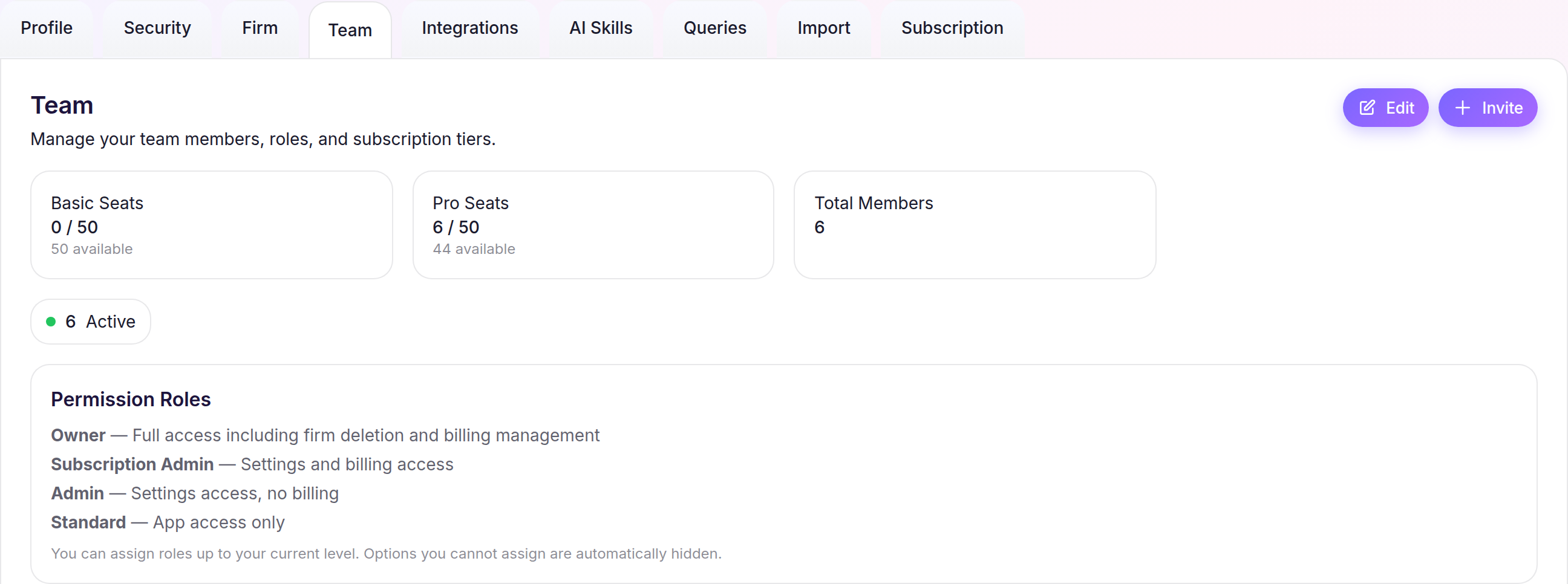
Open Team settingsBefore you start: You need permission to access firm settings and an available staff seat.
Open Team settings
- Select Settings in the sidebar.
- Open the Team tab, then select Invite.
Enter the invitation
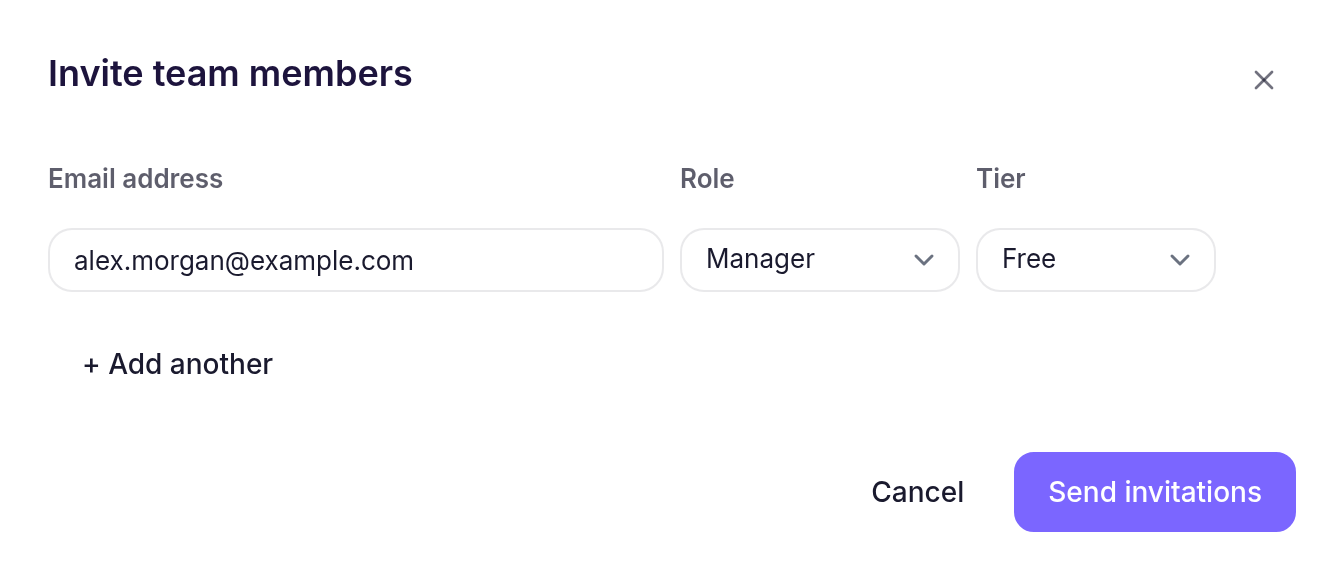
- Enter the staff member’s Email address.
- Choose their Role and Tier. Select + Add another to invite more than one person.
- Select Send invitations.
What happens next
Cheku adds the person to the Team list with an Invited status and a Standard Firm Permission Role. If email delivery succeeds, they receive the invitation; otherwise, Cheku shows a warning and you can select Resend from their row. Change their Firm Permission Role later from Team when needed.