
Create and approve a Firm AI Skill
Turn your Firm's guidance into an approved AI Skill for the assistant.
Updated 12 September 2026
Open AI SkillsBefore you start: You need permission to access firm settings, AI Skills must be available for the Firm, and the chosen area needs remaining Skill capacity.
Create a Draft
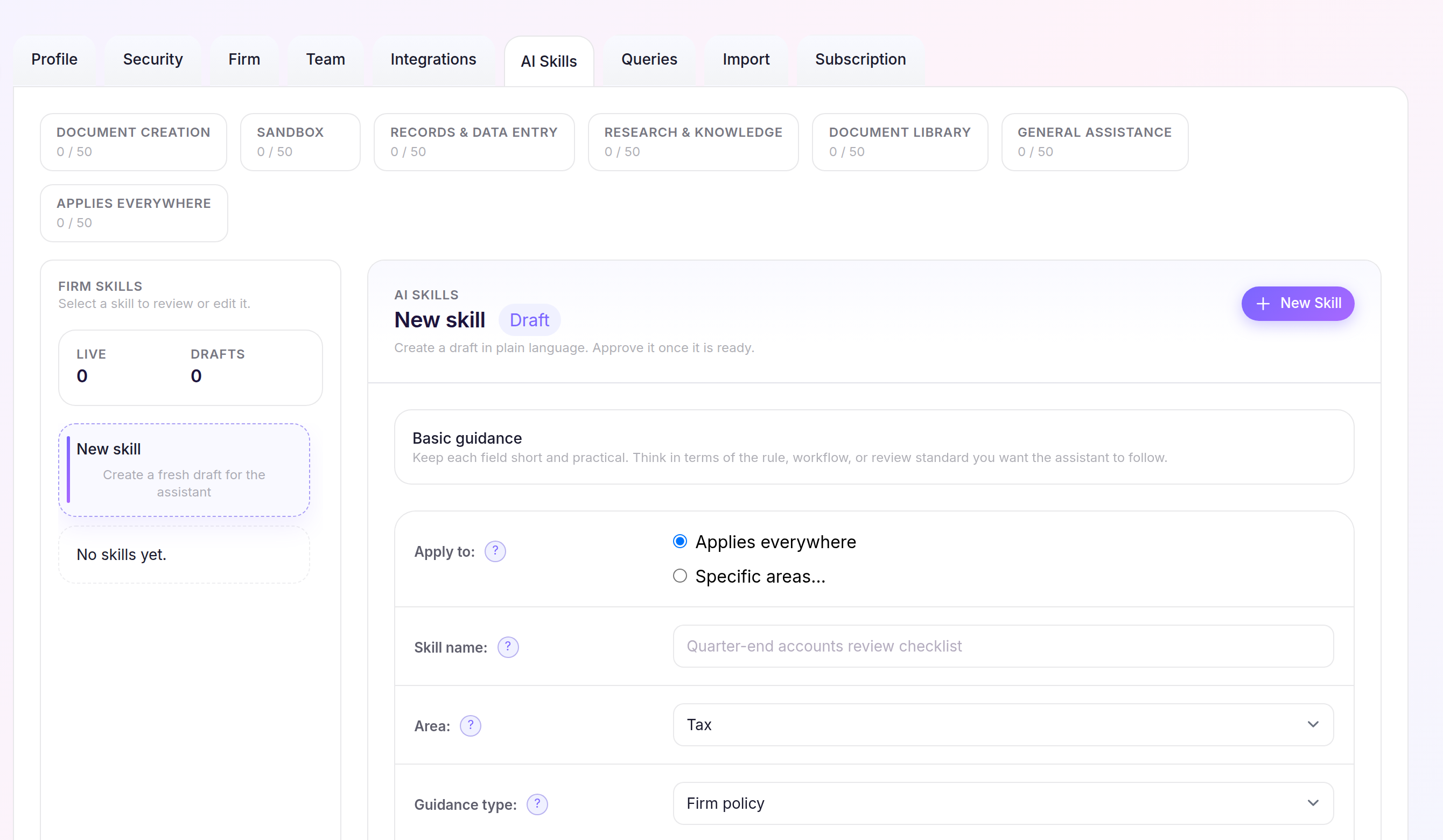
- Select Settings, open AI Skills, then select New Skill.
- Choose where the Skill should Apply to, then complete Skill name, Area, Guidance type, When to use, Source, Summary, Recommended steps and Cautions.
- Select Create Draft.
Approve the Skill
- Select the Draft from Firm Skills and review its guidance and scope.
- Select Approve Draft.
The Skill shows as Live and becomes available to the assistant. Saving edits later creates a new Draft without replacing the Live version until it is approved.