
Accept or decline a Client portal invitation
Respond to a firm's invitation to access a Client organisation.
Updated 12 September 2026
Open invitationsBefore you start: Open the invitation email, finish setting up your Client portal account, and sign in before the invitation expires.
Respond to the invitation
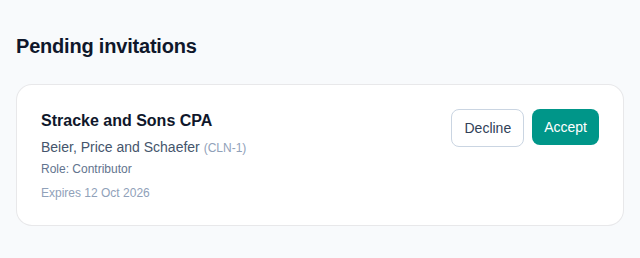
- Open Pending invitations.
- Check the Firm, Client organisation, role and expiry date.
- Select Accept to activate access, or Decline if you do not need it.
What happens next
Accepting opens Client portal Home for that organisation. Declining removes the invitation from the pending list; the Firm can invite you again later.