
Build and publish a Cheku template
Build a reusable Custom Form and publish the version Staff can fill.
Updated 12 September 2026
Open TemplatesBefore you start: You need permission to manage templates, an existing Cheku template record, and a desktop-sized screen.
Build the form
- Open Documents, then Templates.
- Open the template’s action menu and select View Details.
- Select Edit.
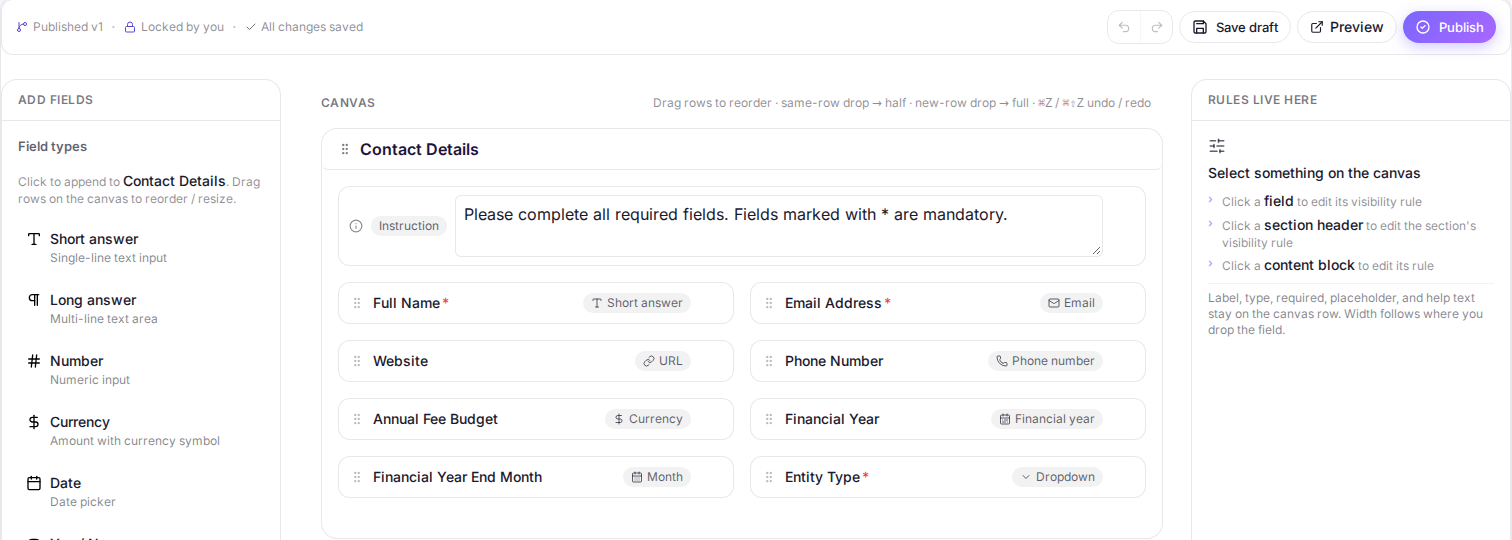
- Add a blank section or section preset, then add and configure the fields the form needs.
- Select Save draft.
Preview and publish
- Select Preview to check the form in a new tab.
- Return to the Builder and select Publish.
What happens next
The Builder shows the published version number. Later Draft changes remain unpublished until you select Publish again.