
Review or edit a submitted form
Review a submitted Custom Form or create its next submitted version.
Updated 12 September 2026
Open DocumentsBefore you start: Any Staff member who can open the document can review it. Edit is available only on the current version to the Staff member who submitted it or someone with permission to manage templates.
Review the submission
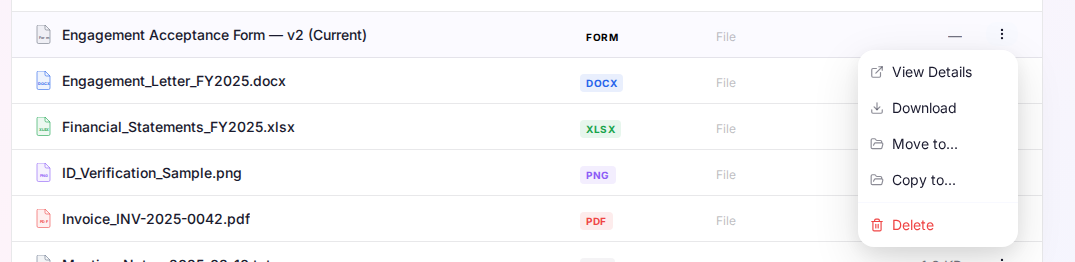
- Open the document library where the submitted form was saved.
- Open the form’s action menu and select View Details.
- Review the submission version, template version, Filled by, Submitted, Saved to, and the completed answers.
Edit the current version
- Select Edit from the submitted form.
- Update the answers and select Submit.
What happens next
Cheku saves a new submitted version. Older versions remain read-only and available for review.