
Get around Cheku
Use Home and the sidebar to move between your firm's main work areas.
Updated 11 September 2026
Start from Home
- Select Home in the sidebar.
- Review Total Clients, Total Contacts, and Total Engagements for a quick firm overview.
- Use New client, New contact, or New engagement at the top of the page when you want to add a record.
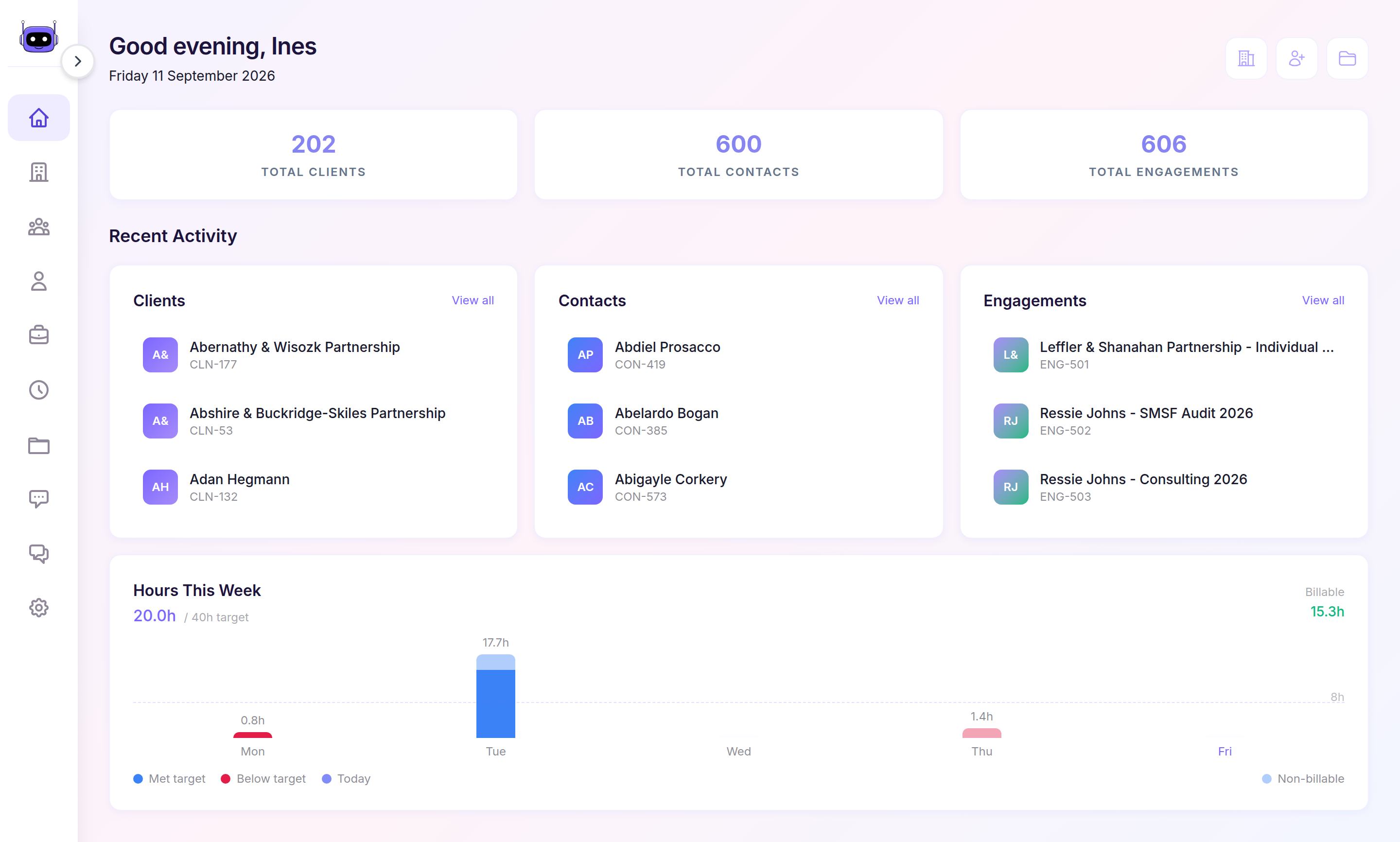
Move between work areas
Use the sidebar to open Clients, Contacts, Staff, Engagements, Timesheets, Documents, Queries, or Settings. Select Home whenever you want to return to the overview.
What happens next
Home shows Clients, Contacts, and Engagements under Recent Activity, with recorded time under Hours This Week.