
Prepare a data analysis report with Agent
Ask Agent to analyse figures and prepare a saved report with a chart.
Updated 12 September 2026
Before you start: Your Firm needs Agent access, and you need permission to use the source information in the analysis.
Prepare the report
- Open an Agent thread and describe the question, period and figures to analyse.
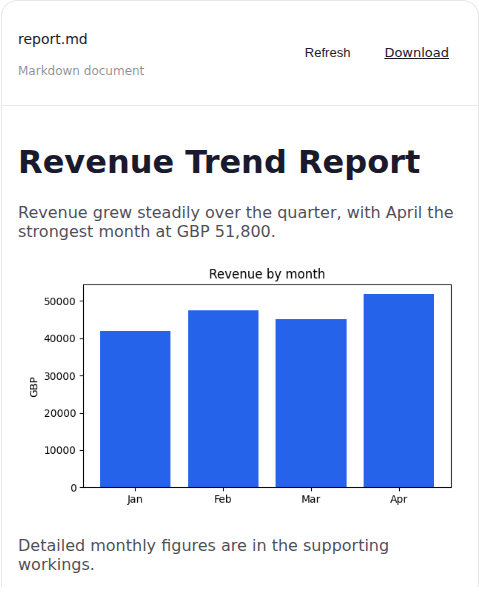
- Ask Agent to include the summary and chart you need and save the finished report to Documents.
- Open the finished report, review its conclusions and chart, then select Download when you need a local copy.
What happens next
The saved report remains available from the thread’s Documents for later review.