
Draft and send an email with Agent
Have Agent prepare an email, then review it before deciding whether to send it.
Updated 12 September 2026
Before you start: Your Firm needs Agent access and an active email connection. You must be allowed to send email from the connected account.
Review the email
- Open an Agent thread and ask Agent to prepare the email, including its recipient, subject and purpose.
- Check the recipient, subject and message before approving it.
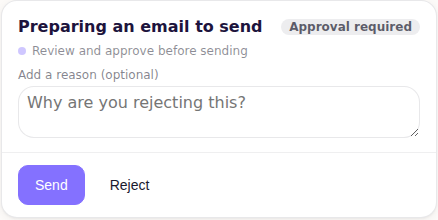
- Select Send to approve the email, or add a reason and select Reject to keep it unsent.
What happens next
Agent sends an approved email through the connected account and records the result in the thread. A rejected email remains unsent.